Focus a window and press ⌃⌥N
Waindow opens a memo panel for that live window. Add separate memo tabs when one window needs a checklist, a draft, and reference details at the same time.
Window-specific notes for Mac
Open a local Markdown memo for the focused window. It follows that live window while you work, then stays searchable in the Memos tab in Waindow Settings when the window is gone.
Free · No account · Local JSON storage · macOS 13.1+
Three moments
Waindow is for short working context beside a Mac window. It is not trying to replace Apple Notes, Obsidian, a team wiki, or a full document manager.
Waindow opens a memo panel for that live window. Add separate memo tabs when one window needs a checklist, a draft, and reference details at the same time.
Use headings, paragraphs, emphasis, links, ordered and unordered lists, checkboxes, quotes, code blocks, and dividers. Plain Return adds a line; ⌘Return starts another memo.
Non-empty memos move to that app’s local library in the Memos tab instead of disappearing. Search title, body, app, bundle identifier, or last window title, then edit, delete, or attach a memo to a current window of the same app.
Actual product · No mockup
This is the actual app menu, not a staged memo-editor screenshot. It shows Toggle Memo for Focused Window and its ⌃⌥N shortcut in English.
Download the same app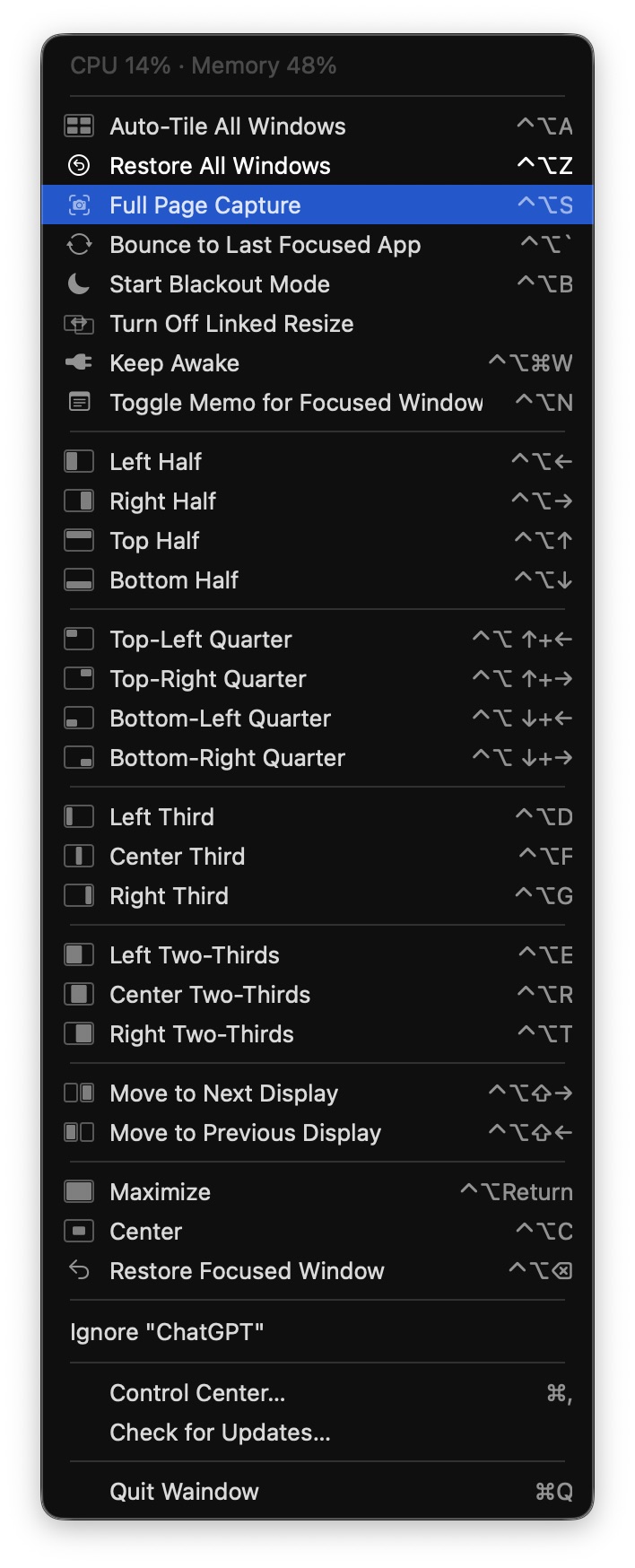
What “attached” means
During the current run, Waindow keeps a stable memo identity for the resolved live window even when its title changes. After Waindow or the app restarts, macOS does not provide a trustworthy identity link to the old window, so saved memos return to the app library instead of guessing which new window is the same one.
Honest fit
Keep only the context you need