Rectangle alternative for Mac

Rectangle is excellent at snapping. Waindow solves a different-sized problem.

Choose Rectangle if you mainly want a mature, open-source window manager with keyboard shortcuts and drag-to-edge snap areas. Choose Waindow if you want window control beside local memos, long-page capture, Blackout, and Keep Awake. Neither choice needs a sales pitch.

Compared against Rectangle's official website and public repository · Reviewed 2026-08-01

Side by side

Start with the job, not the feature count.

Rectangle is not an inferior Waindow, and Waindow is not a drop-in Rectangle replacement. The useful difference is focus: dedicated snapping depth versus a broader set of small local work tools.

Primary job
Rectangle: Move and resize windows with keyboard shortcuts or drag-to-edge snap areas.
Waindow: Arrange and restore eligible standard windows, resize shared edges together, and keep nearby work utilities in one menu-bar app.
Window workflow
Rectangle: Many preset positions, repeatable shortcuts, snap areas, display movement, and restore actions.
Waindow: Position-aware automatic arrangement, saved layouts, focus and display movement, plus temporary Linked Resize. It does not offer Rectangle-style drag-to-edge snapping.
Beyond window management
Rectangle: The free app stays focused on window movement and resizing.
Waindow: Local window memos, long-page PNG capture, Blackout Mode, Keep Awake, and a total CPU or memory menu-bar indicator.
External control
Rectangle: Its documented rectangle:// URLs can execute window actions and ignore or unignore apps.
Waindow: Optional typed actions through Apple Shortcuts, compatible MCP clients, or CLI. No built-in AI model.
Price and source
Rectangle: Free and open source. Rectangle Pro is a separate commercial product.
Waindow: Free with no account, trial, subscription, or license key. The product source is not public.
Compatibility and install
Rectangle: The current free app supports macOS 10.15+, Intel, and Apple Silicon, with DMG and Homebrew installation documented.
Waindow: Requires macOS 13.1+, supports Intel and Apple Silicon, and ships as one 7.77 MB ZIP. The current direct build is not yet Developer ID notarized, so macOS may ask you to use Open Anyway when first launching a downloaded build.

Fast decision

Which one should you install?

Choose Rectangle if…

  • drag-to-edge snapping is the main job;
  • you want many dedicated window positions and shortcuts;
  • open-source code is a requirement;
  • you prefer its documented DMG or Homebrew installation;
  • you need support back to macOS 10.15.

Visit Rectangle's official site →

Choose Waindow if…

  • you repeatedly rebuild a multi-window workspace;
  • two neighboring windows should resize together;
  • a local Markdown memo should stay with a window;
  • capture, Blackout, or Keep Awake would replace extra utilities;
  • Shortcuts, MCP, or CLI control belongs in the same tool.

Keep it only if the broader toolkit earns its menu-bar space.

Actual product · No comparison mockup

See Waindow's actual scope before downloading.

This is the current Waindow 1.10.0 Control Center in English. It shows that Window Layout and Linked Resize sit beside memos, capture, Blackout, and Keep Awake. Rectangle remains a separate product by its own maker.

Try the same Waindow build
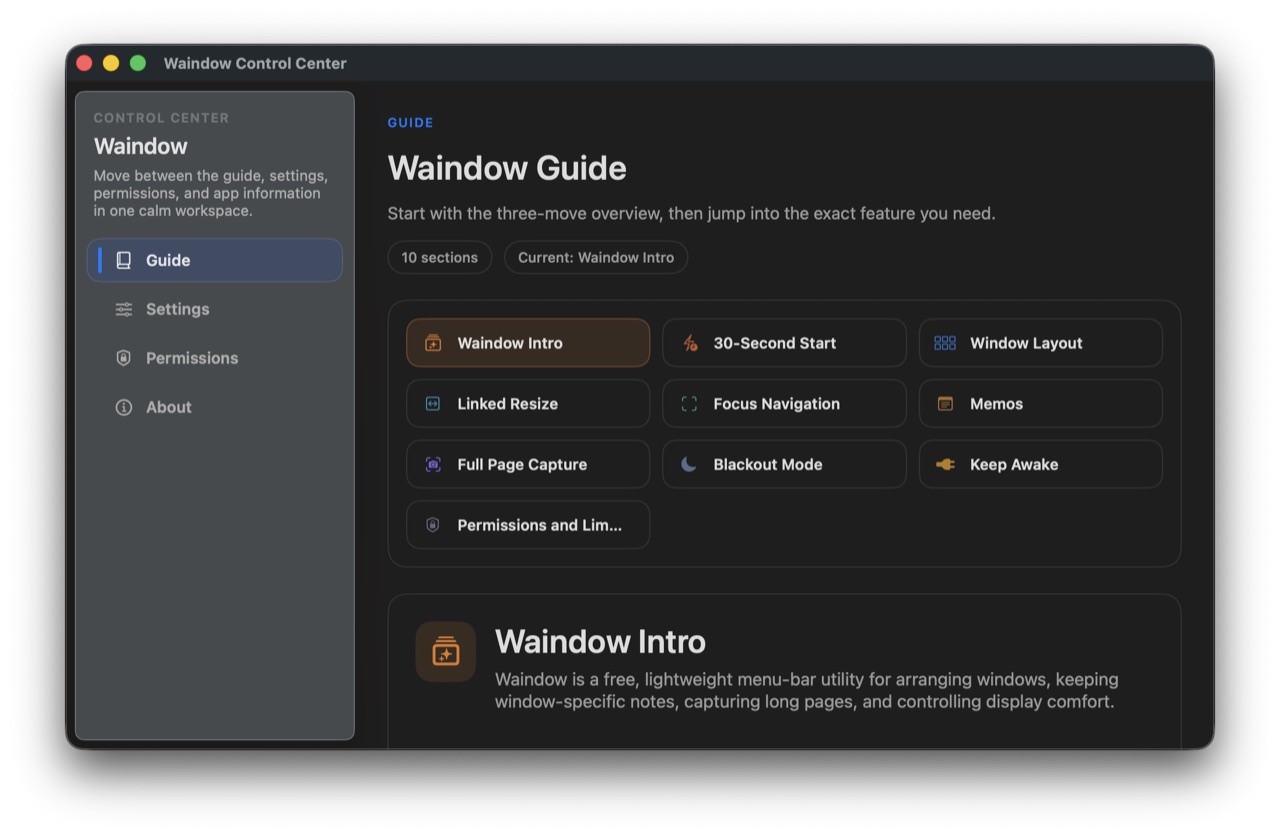
Actual Waindow Control Center showing window and utility guide sections
Actual Waindow 1.10.0 Control Center · English interface · 40 languages

Sources and boundaries

Verify both products at their source.

Rectangle facts

Free/open-source status, system requirements, shortcuts, snap areas, URL actions, DMG, and Homebrew installation come from Rectangle's official website and repository.

Official website · Public repository

Waindow caveats

Waindow is not open source, does not provide Rectangle-style drag snapping, and may ask you to use Open Anyway when first launching a downloaded build because it is not Developer ID notarized.

Verified Waindow facts →

A different fit, not a universal upgrade

Try Waindow only if the wider toolkit is the point.